
Last checked on 3 November 2026 against Arken Optics' user manual, product page, FAQ and specifications, and Tango's product information.
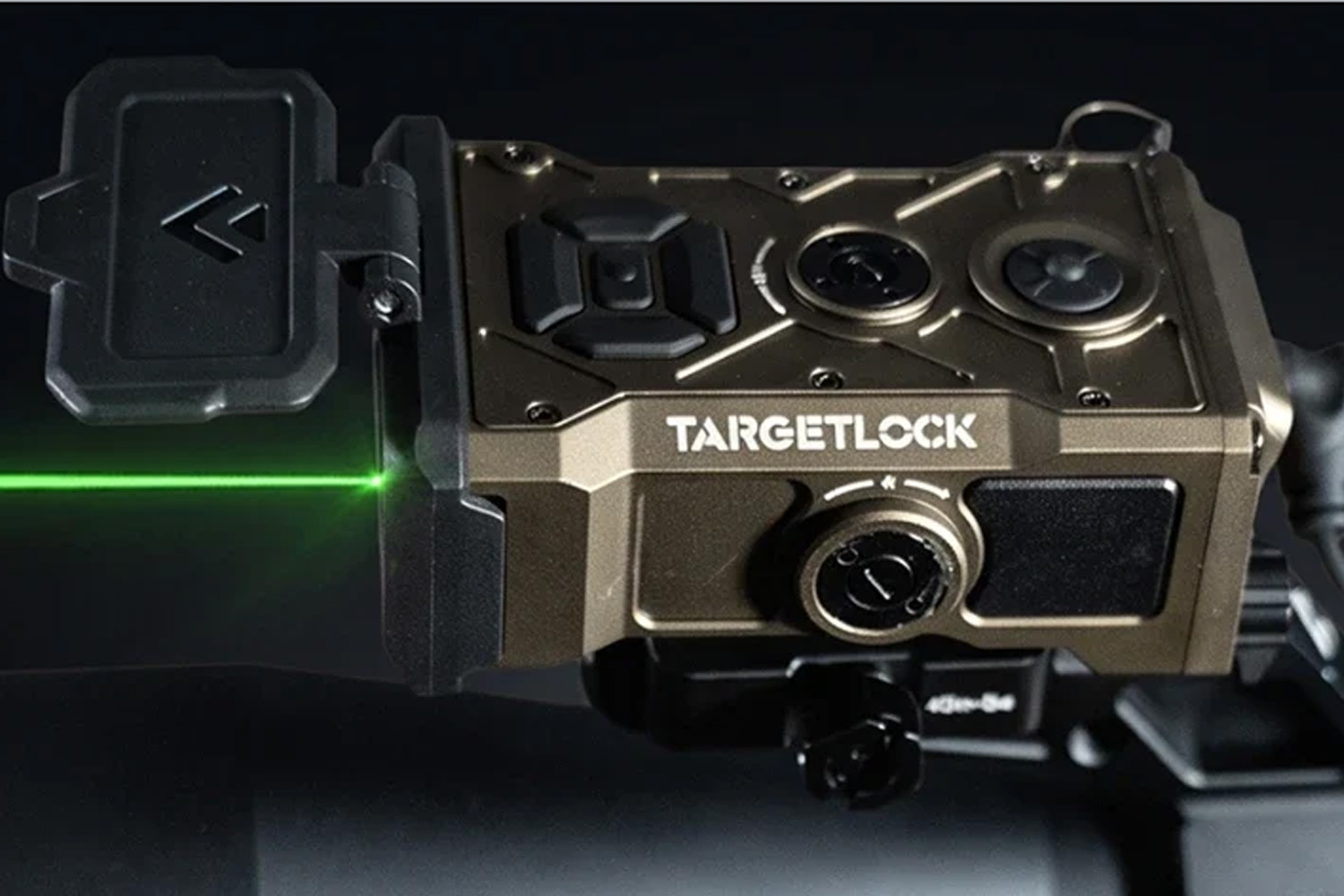
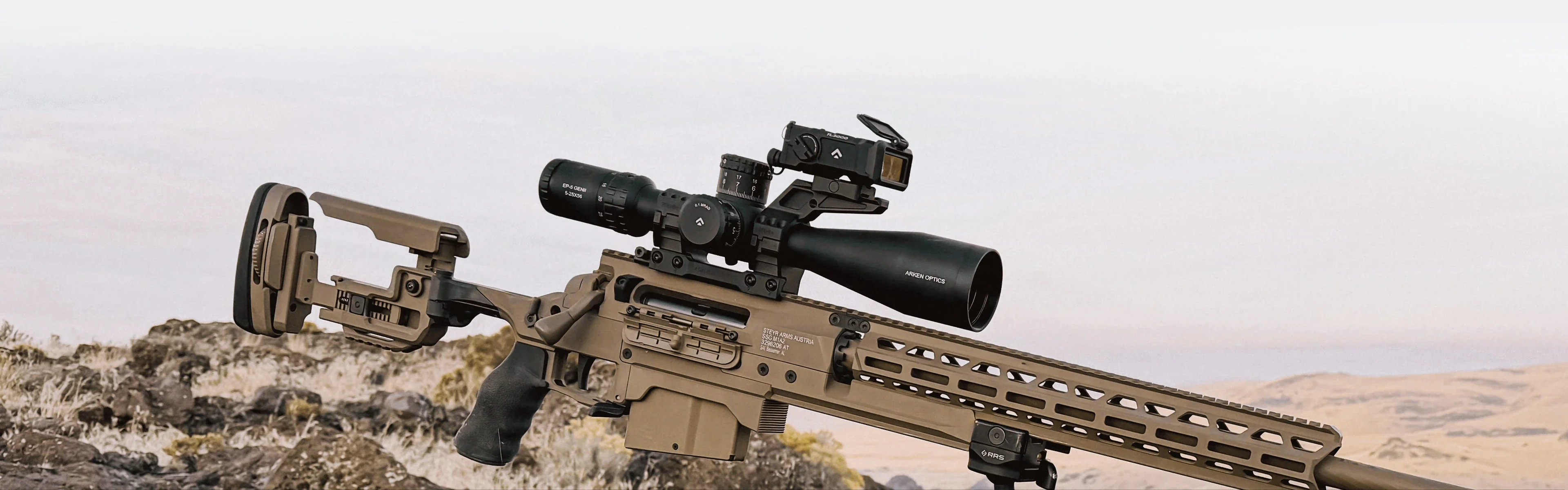
A rangefinder on your rifle sounds like a luxury until you shoot a PRS stage with five targets at unknown distances and ninety seconds on the clock. Every time you break your cheek weld to grab a handheld unit, you lose time and you lose your position. The Arken TargetLock TL3000 is built to fix that. It sits on the rail above your riflescope, ranges the target and works out your hold on the spot.
This article goes past the spec sheet. We look at how the ballistic solver inside the TL3000 works, how to mount it and align it optically without firing a round, and what to do when your turrets are already dialed. We also put it next to the Tango FIRE4000 Elite, the other weapon-mounted rangefinder we sell.
The short version
The TL3000 ranges out to 3,000 yards on reflective targets and calculates your elevation and wind hold on the unit itself, using the DNT Ballistic Engine
It stores up to ten ballistic profiles, entered on the device or through the DNT app
Zeroing the TL3000 is an optical alignment, using the green laser and an alignment target, with no live fire
Arken recommends a parallel zero, with the laser running parallel to your line of sight at every distance
Once you dial your scope, the laser no longer points at your target. Dial back to zero or hold off with the reticle
Run a CR123A in the field. The rechargeable 16340 cells in the box are meant for training
Why put a rangefinder on the rifle
With a handheld rangefinder, a shot at an unknown distance goes like this. Get into position, pick up the rangefinder, range, remember the number, put it down, get back behind the scope, look up the hold on your DOPE card or app, dial, and only then shoot. Any of those steps can go wrong. You range just beside the target, you remember the wrong number, or you settle back in behind the stock slightly differently.
A weapon-mounted laser rangefinder, or WMLRF, cuts out half of that. You look through your scope, put the reticle on target and press the button. What you range is what you are aiming at.
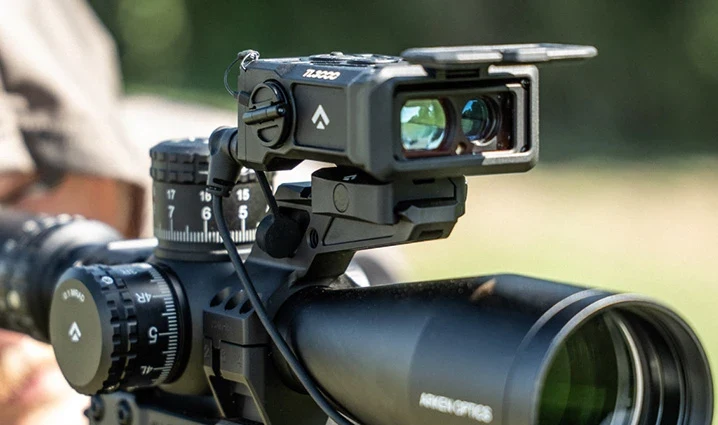
The TL3000 adds the ballistics on top. The rear display shows the elevation and wind correction straight away, in the same unit as your scope.
The TL3000 by the numbers
Specification | TL3000 |
|---|---|
Maximum range, reflective target | 3,000 yd (approx. 2,740 m) |
Range on deer | 1,100 yd (approx. 1,000 m) |
Accuracy | ±1 yd out to 2,000 yd, ±0.1% beyond |
Resolution (display) | 0.1 yd |
Ranging laser | 905 nm, invisible, Class 1 |
Alignment laser | 515 nm, green, Class 2 |
Ballistics | DNT Ballistic Engine, 10 profiles (A through J) |
Connectivity | Bluetooth, DNT app (iOS and Android), Kestrel meters with Bluetooth or LiNK |
Display | OLED with anti-reflection coating |
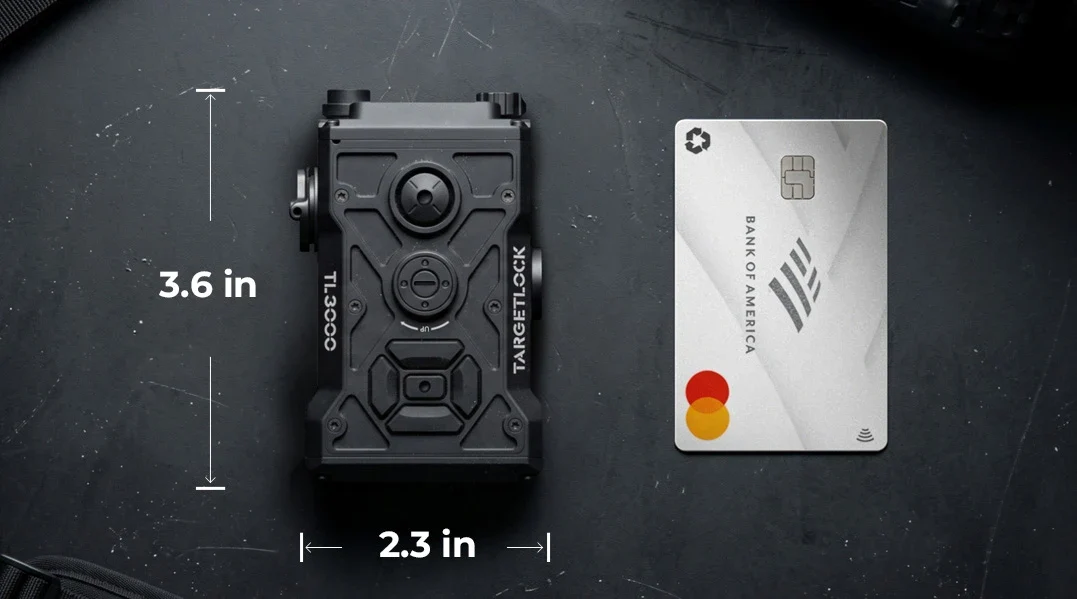
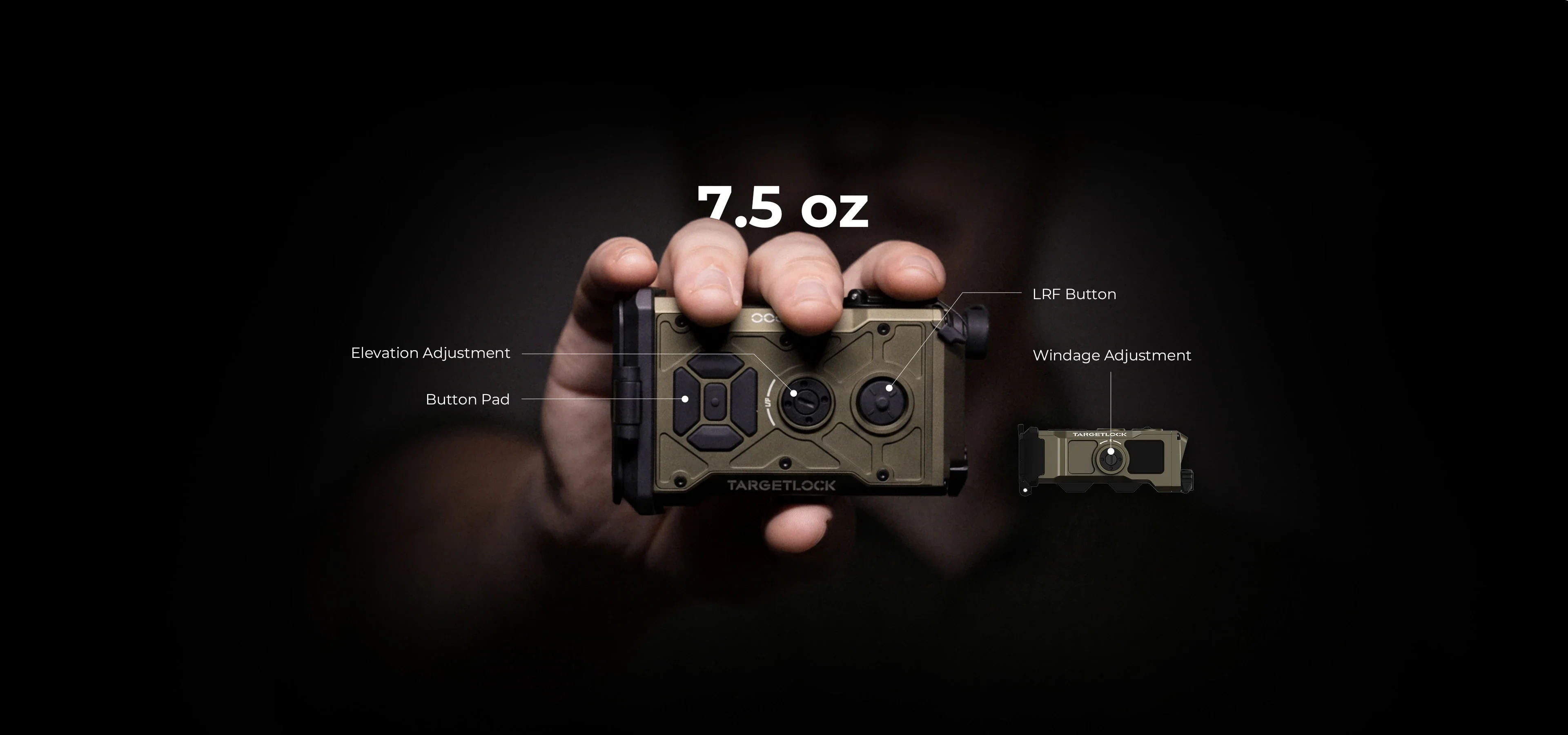
Size and weight | 92 x 59 x 35 mm, 213 g (7.5 oz), plus 42 g for the mount |
Mounting | Picatinny (MIL-STD-1913) |
Protection | IP67, recoil rated to .50 BMG, -20 to 50 °C |
Resolution is the step size of the readout, not the accuracy of the measurement. For range on a tree trunk, Arken's product page states 2,000 yd while the manual says 1,200 yd. We are going with the lower figure until Arken clarifies.
The size stands out. At 213 grams and 35 mm tall, the TL3000 is roughly the footprint of a deck of cards. On a light PRS rifle every gram counts, and a compact unit above the scope is less likely to crowd your field of view or catch on a barricade.
How the TL3000 builds a firing solution
Ranging is only half the job. What you really need at distance is the hold. For that the TL3000 carries the DNT Ballistic Engine on board, which works from three sets of inputs: your ballistic profile, the distance and angle to the target, and the conditions.
Your ballistic profile
A profile describes one rifle and one load. The solution can only be as good as the data you put in, and Arken says so plainly. These are the values each profile needs:
Input | Where to get it |
|---|---|
Zero distance | The distance your rifle is zeroed at, usually 100 m or 100 yd |
Scope height | Measured with calipers from the centre of the bore to the centre of the scope tube |
Muzzle velocity | Measured over a chronograph, the figure on a box of factory ammo is an estimate |
Bullet diameter, weight and length | From the bullet maker, or measure length yourself |
BC (G1 or G7) | From the bullet maker |
Twist rate and direction | Stamped on the barrel or in the spec sheet, almost always right-hand |
Click unit and value | On your turrets, for example 0.1 MRAD or 1/4 MOA per click |
You can enter everything on the unit with the button pad, but the DNT app is quicker. It lets you build and manage profiles, pull a load from a database of more than 6,000 factory loadings, and push the profile over Bluetooth into one of the ten memory slots. If you handload, just enter your own load with your measured velocity. Firmware updates also come in through the app.
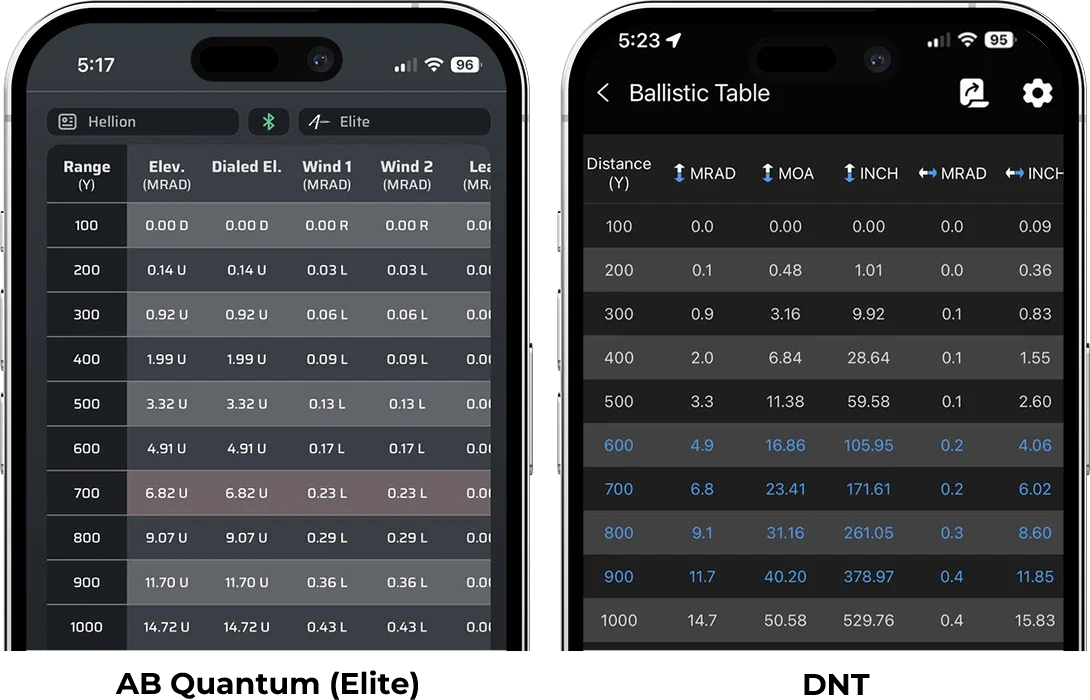
Arken has compared the DNT engine's output with Applied Ballistics' AB Quantum (Elite) app, using a 5.56 rifle and AAC 77 grain OTM ammunition. According to Arken, the two solutions tracked closely from 100 to 1,000 yards. Bear in mind this is the manufacturer's own test, and the result applies to that rifle, load and set of conditions. The TL3000 pairs with the DNT app, the AB app only serves as the comparison here.
Switching ballistics on and picking a unit
Out of the box the ballistic display is off. Turn it on under Main Menu, Display Ballistics, and choose the unit that matches your scope while you are there: MRAD, MOA, clicks, centimetres or inches. Pick clicks and the TL3000 tells you exactly how many to dial. A wrong unit is the quickest way to turn a good range reading into a miss, so check it before you leave for the range.
The OLED display carries an anti-reflection coating. According to Arken, that keeps range and hold readable in bright sun and at an angle.
Angle, cant, and LOS versus HCD
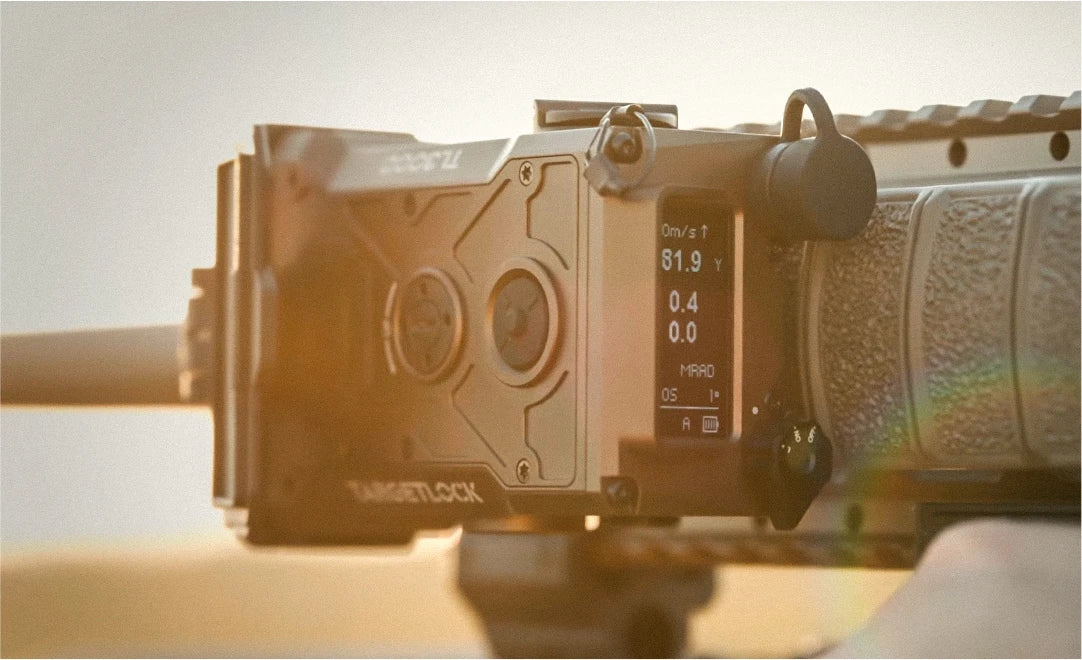
A built-in gyroscope reads the incline to the target and the cant of the rifle. Both appear on screen, so you can see whether you are level before you break the shot. Calibrate the gyro once on a flat surface before mounting the unit. It takes eight seconds.
For distance there are two modes. LOS, line of sight, measures the straight-line distance and hands it to the solver together with the exact angle. HCD, horizontal component distance, works out the horizontal distance and passes on only that. Arken recommends LOS whenever you rely on the built-in solver, especially on steep angles and at long range. HCD suits shooters who prefer one simple "shoot-to" distance.
Wind and atmosphere
Wind speed, wind direction, temperature, humidity and pressure can be entered by hand or fed in from a Kestrel with Bluetooth or LiNK. When you range again or the conditions change, the TL3000 recalculates on its own, at most once every three seconds.
With a Kestrel that has a built-in compass, you first capture your direction of fire. Hold the Kestrel upright, point the back of it at the target and press the range button on the TL3000. From then on it works out the wind direction relative to your line of fire. With a Kestrel that has no compass, wind speed comes in automatically and you set the direction by hand. Arken lists the Kestrel 2700 Ballistics, the 5700 Ballistics, 5700 Elite and 5700X Elite with LiNK, and the Bluetooth versions of the 5000 and 4000 series, among others. A Kestrel without Bluetooth or LiNK will not pair. Calypso support is listed in the manual as pending, and Arken says it will arrive in a firmware update before the end of 2026. For more on both wind meters, read our article on the Kestrel 5700 Elite vs Calypso Mini AB.
Single pulse or continuous
Single pulse is the default. One press, one reading, and your hold appears straight away. It is the most battery friendly mode and the right one for static targets.
Continuous mode keeps the laser running for fifteen seconds and updates the distance as you pan. Because that number keeps changing, the TL3000 does not calculate automatically. Press the range button a second time to lock a distance and get your solution.
Mounting it on your rifle
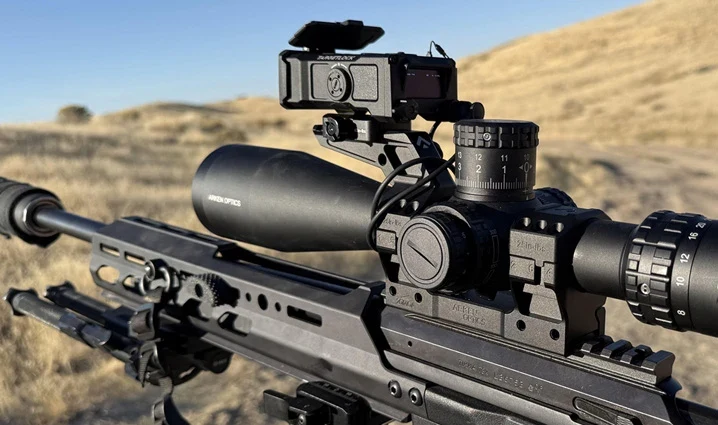
The TL3000 comes with its own Picatinny mount. Arken's recommended position is directly above the scope on a diving board, a small plate that attaches to your scope mount and sticks out forward. That keeps the laser as close as possible to your scope's line of sight.
Other positions work too, such as the side of the handguard. The unit senses its orientation and rotates the display to match. One catch: mount it vertically and the cant reading and cant compensation switch off automatically. Wherever it goes, it has to sit as parallel as possible to the optical axis of your scope.
A torque wrench is the way to do it:
Mount to the TL3000: 4 Nm (35 in-lb), using the two supplied base screws
Mount to the Picatinny rail: 5 Nm (45 in-lb)
No torque wrench? Run the screws and the nut down until they are flush and hand tight, then turn them exactly one eighth of a turn more with the supplied tool. No further.
Zeroing without firing a shot
This is where it differs most from a riflescope. The TL3000 is not zeroed with live fire. The whole process is optical. So start with the safety checks: magazine out, chamber inspected and all live ammunition off the bench.
The reason it works is that the invisible ranging laser, the receiver and the green alignment laser sit together in one module, aligned parallel at the factory. The supplied tool adjusts that entire module for elevation and windage. Put the green dot where it belongs and the ranging laser follows.
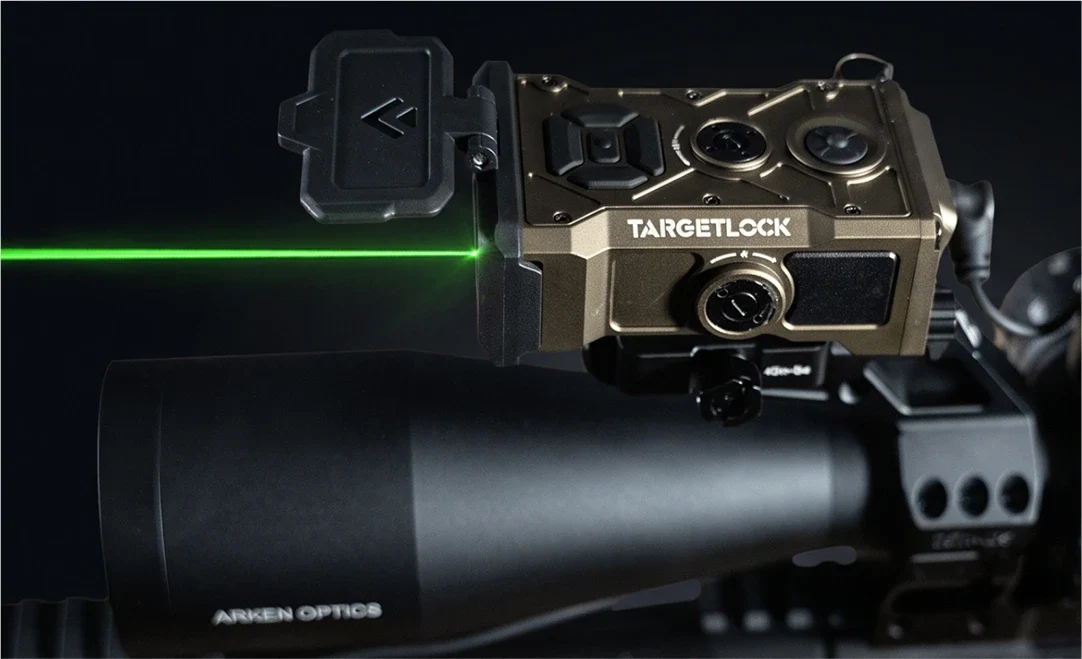
Parallel or converging
The obvious move is to set the laser so it lands on your crosshair at one particular distance. That is a converging zero, and Arken advises against it. Past the crossing point the laser drops further and further below your target, and at long range you end up ranging the ground in front of it.
A parallel zero keeps the laser running alongside your line of sight. If the TL3000 sits two inches above the scope, the laser hits two inches above the crosshair at 100 yards, at 1,000 yards and at 3,000 yards. At distance that fixed offset is small compared with the size of a target.
Preparing the alignment target
The TL3000 ships with an alignment target on a 1 inch grid. If you use an Arken DB30 or DB34 diving board, the laser impact point is already measured out and the reflective sticker goes straight onto the marked spot. With any other setup, you measure it yourself:
Use calipers to measure the vertical offset from the centre of your objective to the centre of the green laser aperture. On a side mount, measure the horizontal offset as well
Mark the scope's aiming point on the target, then the laser impact point at exactly that offset
Hold off on the reflective sticker for now, you only need it outdoors
One detail from the manual worth knowing: the green laser aperture sits 3.6 mm off the centre of the unit. On a diving board, use the dashed vertical line on the target for the horizontal position. Lost the target? The QR code in the manual links to a printable one. Print it at true scale.
Indoor coarse zero
Start indoors at around 10 yards. Arken warns that out in bright daylight, a green dot that lands off the target board is close to impossible to find. Getting it roughly right indoors first saves a lot of frustration.
Tape the target to a wall, plumb and level, across the longest room you have
Rest the unloaded rifle on a bipod, bags or a table so you can look through the scope without holding it
Put the crosshair precisely on the aiming point
Switch on the green laser and use the tool on the TL3000's elevation and windage adjusters until the dot sits on the laser impact point
Leave the reflective tape off indoors. At short range the bounce-back from the green laser is bright enough to be uncomfortable on the eyes, so a drawn mark or plain tape does the job. And treat this as a coarse zero only. An angular error you cannot see at 10 yards shows at 100 and becomes large at 1,000.
Outdoor fine zero
Stick the reflective sticker on the laser impact point and set the target at 30 to 100 yards. Further gives a better reference for long range
Check up close first that the green dot still sits at the same offset from the crosshair as it did indoors
Switch on the TL3000, remove the lens cover and turn the rotary switch to L to activate the green laser
If you cannot see the dot at distance, bring the target closer. Overcast days with clear air work best
Keep the rifle perfectly still and adjust the TL3000 until the dot sits exactly on the sticker
Take a test reading and confirm the TL3000 ranges the point your crosshair is on
Before you start, make sure the scope itself is properly zeroed and that incline and cant read zero with the rifle level.
When your scope is dialed
This catches out most new users. The TL3000 is fixed to the rifle. When you dial elevation or windage, the reticle moves inside the scope but the TL3000 stays put. Put the reticle on target and the laser goes over or beside it, and you get a failed or wrong reading.
Arken describes two ways to deal with it.
Method 1: range first, dial second
Dial your turrets back to zero
Put the reticle on target and range. The laser is parallel to your line of sight again
Read the hold and dial it
Put the reticle back on target and take the shot
This is the standard procedure and the most reliable one.
Method 2: hold off with the reticle
When there is no time to dial back, for example with several targets at different distances in one stage, you compensate with the reticle. If you are dialed 5 MRAD up, hold the centre of the reticle 5 MRAD above the target. That angles the rifle down and puts the laser back on target. Range, dial the new hold, bring the reticle back to the target and shoot.
The rule to remember: wherever your turret is dialed, that is where your laser points. Dial up and the laser shoots high, so you hold the same amount high to push it back onto the target.
Battery and power
The TL3000 runs on a 3 V CR123A. Arken tests with a 1,500 mAh cell and quotes around 5,000 readings, or six hours in its Real World Duty Cycle. In that test the screen is on brightness level 2 and the unit takes one single pulse reading every three seconds on a target at 500 yards, with ballistics running throughout.
The box contains two rechargeable USB-C 16340 cells in the same format. They hold less, good for about 3,000 readings or 2.5 hours, and Arken intends them for zeroing, practice and casual use. Note how they behave: the battery indicator can sit at full for hours and then drop quickly to the last bar, with the rangefinder cutting out shortly after. For a match, always fit a fresh CR123A.
Do not charge a 16340 cell through the USB-C port and in an external charger at the same time, and avoid split cables with one input and several outputs. Arken warns this can damage the battery or the circuitry.
Power saving settings in the menu put the screen, or the whole unit, to sleep after a set time. Menus and options can change with firmware updates, so always check the current Arken manual for operating details.
TL3000 or Tango FIRE4000 Elite?
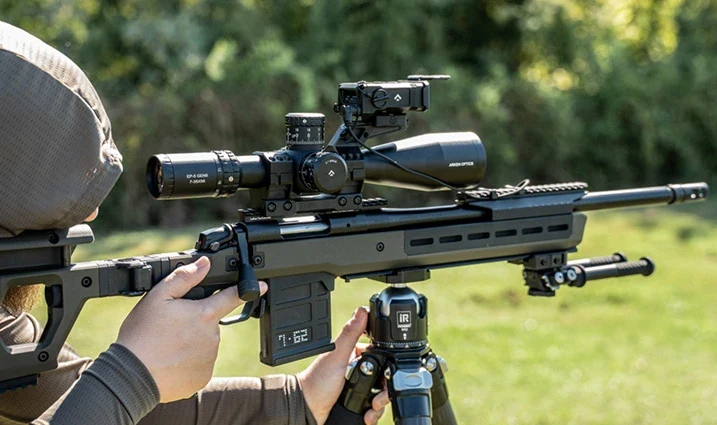
Both are weapon-mounted rangefinders with an on-board solver. The biggest differences are the ballistic software and the weight.
| Arken TL3000 | Tango FIRE4000 Elite |
|---|---|---|
Ballistic engine | DNT Ballistic Engine | Applied Ballistics |
App | DNT app | AB Synapse BOSS and AB Quantum |
Maximum range | 3,000 yd | 4,000 yd |
Alignment laser | Green, 515 nm | Red, 635 nm |
Weight | 213 g + 42 g | 420 g |
Weather meters | Kestrel with Bluetooth or LiNK, Calypso planned | Kestrel and Garmin via ABE |
Battery | CR123A | CR123A |
Figures from Arken and Tango product information. Arken lists unit (213 g) and mount (42 g) weight separately. The available Tango information does not make clear whether its 420 g includes the integrated mount.
If you already work in Applied Ballistics, through an AB-enabled Kestrel or the AB Quantum app, the Tango FIRE4000 Elite slots straight into your existing profiles. If you mainly want a light, compact unit that solves on its own, the TL3000 is noticeably lighter. For alignment, the TL3000 uses a green laser and the FIRE4000 Elite a red one.
Laser safety
The TL3000 carries two lasers, each with its own class. The invisible 905 nm ranging laser is Class 1, which Arken describes as eye-safe in normal use. The green 515 nm alignment laser is Class 2, which is why the unit as a whole is labelled a Class 2 laser product. With Class 2, your blink reflex protects you against brief accidental exposure, but never deliberately look into either aperture and never point the lasers at people. The laser icon on screen means the ranging laser, the green laser or both are active.
Arken adds a few practical rules. Only switch on the green laser with the rifle pointed in a safe direction, at a backstop or your alignment target. Keep it away from mirrors, glass and polished metal. And never look into a laser aperture at close range through binoculars or a spotting scope.
To stop the green laser coming on by accident, it uses a two-step safety. It has to be enabled in the menu, under Main Menu and System Menu, and the rotary switch has to be on L. If either one is off, the green laser stays off. It is also worth checking your club's or range's rules on visible lasers before you use one.
Frequently asked questions
Do I need live fire to set up the TL3000?
No. Alignment is entirely optical, using the green laser and the alignment target. Your scope does need to be properly zeroed.
Does it work with any Kestrel?
No. You need a Kestrel with Bluetooth or LiNK, such as the 5700 Elite with LiNK. Calypso support is due in a firmware update, according to Arken.
Can I use it with a MOA scope?
Yes. You choose the correction unit yourself: MRAD, MOA, clicks, centimetres or inches.
How many profiles can it store?
Ten, in slots A through J. Handy if you shoot more than one rifle or load.
Does it work without the app or a wind meter?
Yes. Profile, wind and atmospheric data can all be entered directly on the unit.
Why am I getting no reading, or an unexpected one?
There are several possible causes. The target may be too small, too dark or not reflective enough for the distance, since range depends heavily on target type. Rain, fog or dust also cut range. If your turrets are not at zero, the laser lands beside or above the target. The alignment may have shifted, for example through a loose mount, and a nearly flat battery can make readings drop out. Work through these before you re-align the TL3000.
Can I side-mount the TL3000?
Yes, the display rotates automatically. In a vertical orientation the cant reading is disabled. Arken recommends mounting directly above the scope.
Further reading
The Arken TargetLock TL3000 is available from us in black and FDE. Not sure how best to mount it on your rifle or how to set up your profiles? Get in touch, we are happy to help you work it out.
Sources: Arken Optics, TARGETLOCK TL3000 User Manual and TARGETLOCK TL3000 Weapon Mounted Ballistic Laser Rangefinder product page (arkenopticsusa.com). Tango, FIRE4000 Elite product information. Athlon Outdoors, Tangoinnos Fire 4000 review. The Firearm Blog, SHOT 2026 launch coverage of the Arken TL3000.